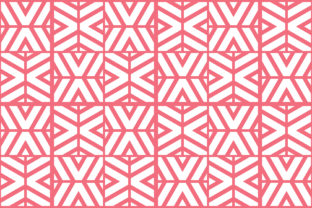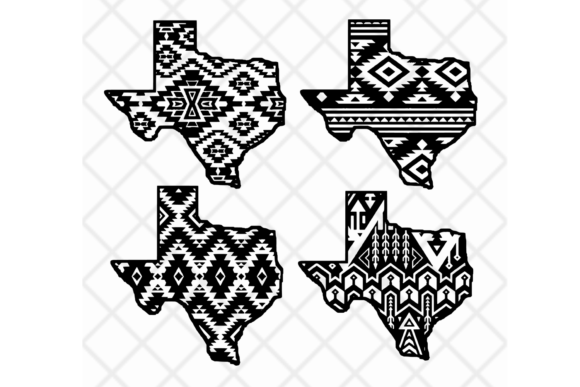
Aztec Pattern Digital Art Files
Aztec Pattern isn’t just history—it’s geometry with rhythm, symmetry with attitude. Rooted in Mesoamerican textile and architectural design, its hallmark is bold repetition: interlocking zigzags, stepped motifs, concentric diamonds, and precise geometric borders. But today, it lives beyond museum walls. In digital art, Aztec Pattern thrives as a versatile visual language—structured enough for precision cutting, expressive enough for branding, and timeless enough to feel fresh across contexts.
Why Aztec Pattern Works So Well Digitally
Its strength lies in clarity and consistency. Unlike organic or illustrative patterns, Aztec designs are built on grids and angles—making them exceptionally well-suited for vector-based workflows. That means clean scaling, crisp edges at any size, and predictable behavior when imported into cutting software like Silhouette Studio, Cricut Design Space, Make the Cut (MTC), or Sure Cuts A Lot (SCAL). No pixelation. No distortion. Just reliable geometry you can trust.
Equally important: Aztec Pattern is culturally resonant without being prescriptive. It invites reinterpretation—not replication. You’re not recreating sacred iconography; you’re drawing from a visual vocabulary of balance, contrast, and movement. That makes it ideal for modern applications where authenticity meets adaptability: apparel graphics, packaging accents, wall decals, laser-engraved wood signs, vinyl stencils, and even web UI textures.
Five File Formats—Each With Purpose
Your creative flexibility starts with format choice. Here’s how each of the five supported file types serves real-world use cases:
- SVG: The go-to for web integration and Cricut Design Space. Lightweight, scalable, and widely supported—ideal for layered projects where color separation matters (e.g., multi-color iron-on transfers).
- PNG: Best for quick mockups, social media previews, or digital presentations. Transparent background included, so you can overlay the pattern cleanly over photos or brand assets without editing.
- EPS: Industry-standard for professional print workflows. Preferred by designers sending files to commercial printers or sign shops—especially when spot colors or CMYK separation are required.
- DXF: The universal language of CNC routers, laser cutters, and advanced cutting machines. SCAL and Silhouette Studio read DXF flawlessly for precise contour cutting, engraving paths, or nested layouts.
- PDF: Structured and self-contained. Perfect for sharing with clients, educators, or collaborators who need to view, annotate, or print at scale—without needing design software.
Creative Applications Across Audiences
Different users find different value in the same Aztec Pattern file set—here’s how:
Small business owners use these files to add instant visual distinction to product packaging—think die-cut tape seals, custom tissue paper repeats, or branded hang tags. A single SVG file can tile seamlessly across an entire sheet, saving time and ensuring consistency.
Educators and makers integrate Aztec Pattern into STEAM lessons: symmetry exploration in math, cultural context in social studies, or material experiments in art class. DXF files work directly with classroom laser cutters to produce tactile geometry models or collaborative mural pieces.
Freelance designers and marketers build brand systems around adaptable motifs. An Aztec border in EPS becomes a consistent frame for email headers, social banners, and presentation decks—unifying visuals without repeating full logos.
Hobbyists and crafters rely on PNG overlays for fabric printing tests or SVG layers for intricate vinyl weeding. Because all five formats share identical geometry, switching between tools feels seamless—not disruptive.
Staying Clear, Consistent, and Original
When working with Aztec Pattern, clarity begins with intention. Ask: What role does this motif play? Is it structural (a framing element), decorative (a background repeat), or symbolic (a subtle nod to heritage)? That decision guides your scale, spacing, and color treatment.
To keep results consistent across platforms: always start from the vector source (SVG or EPS), never rasterize unless necessary. If you adjust stroke weight or spacing in Silhouette Studio, save that version separately—don’t overwrite your master file. And when layering multiple Aztec elements, align to a common grid. Most cutting software supports snapping; use it.
Originality doesn’t mean reinventing the wheel—it means thoughtful adaptation. Try shifting one angle by 5°, swapping a solid fill for a subtle gradient, or isolating a single motif to use as a standalone icon. Small changes preserve recognizability while reinforcing your unique voice.
Real Projects, Real Results
A boutique clothing line used the DXF files to cut mirrored acrylic patches for denim jackets—each patch featured a scaled-down Aztec diamond, precisely nested to minimize material waste. Their production time dropped 40% compared to hand-tracing.
An interior designer applied the SVG tiling function in Cricut Design Space to create a continuous wallpaper border for a client’s home office—then exported the same file as PDF for the contractor’s installation reference. One asset, two clear outputs.
A teacher printed large-format PDF versions of simplified Aztec motifs on cardstock, then had students assemble them into collaborative friezes using glue and geometry rules—turning pattern study into tactile problem-solving.
Getting Started—Practical Next Steps
You don’t need every format right away. Start with what matches your current tool and goal: SVG for Cricut, DXF for SCAL or laser work, PDF for sharing or printing. Then expand as needed.
Before cutting: always do a test run on scrap material. Check for unintended overlaps, stray nodes, or hidden layers—especially if you’ve edited the file. Most software lets you view outlines only; use that mode to verify path integrity.
For long-term organization: name files descriptively (e.g., Aztec_Diamond_Border_SVG_v2, Aztec_Step_Motif_DXFLaser_12x12). Include dimensions or key attributes in the filename—this saves minutes later when searching across dozens of design assets.
Finally—let the pattern serve your purpose, not the other way around. Aztec Pattern is a tool, not a trend. Use it where structure strengthens your message, where repetition builds rhythm, and where geometry earns attention without shouting. Done well, it disappears into the experience—and leaves the impression you intended.